






Sales complains ‘leads aren’t qualified’ while Marketing insists ‘we sent plenty of leads.’ The problem? Nobody defined what a ‘hot’ lead actually means. Lead Scoring solves this and HubSpot is one of the best platforms to implement it.
1. What is Lead Scoring and why does it matter?
Lead Scoring is a methodology for rating prospects based on fit (how well they match your ideal customer) and engagement (how actively they’re interacting). The goal: help Sales focus on leads most likely to convert, instead of calling everyone.
Without lead scoring, every lead is ‘equal’, Sales doesn’t know who to prioritize, Marketing can’t measure lead quality. Lead scoring bridges the two teams.
2. Two types of scoring criteria
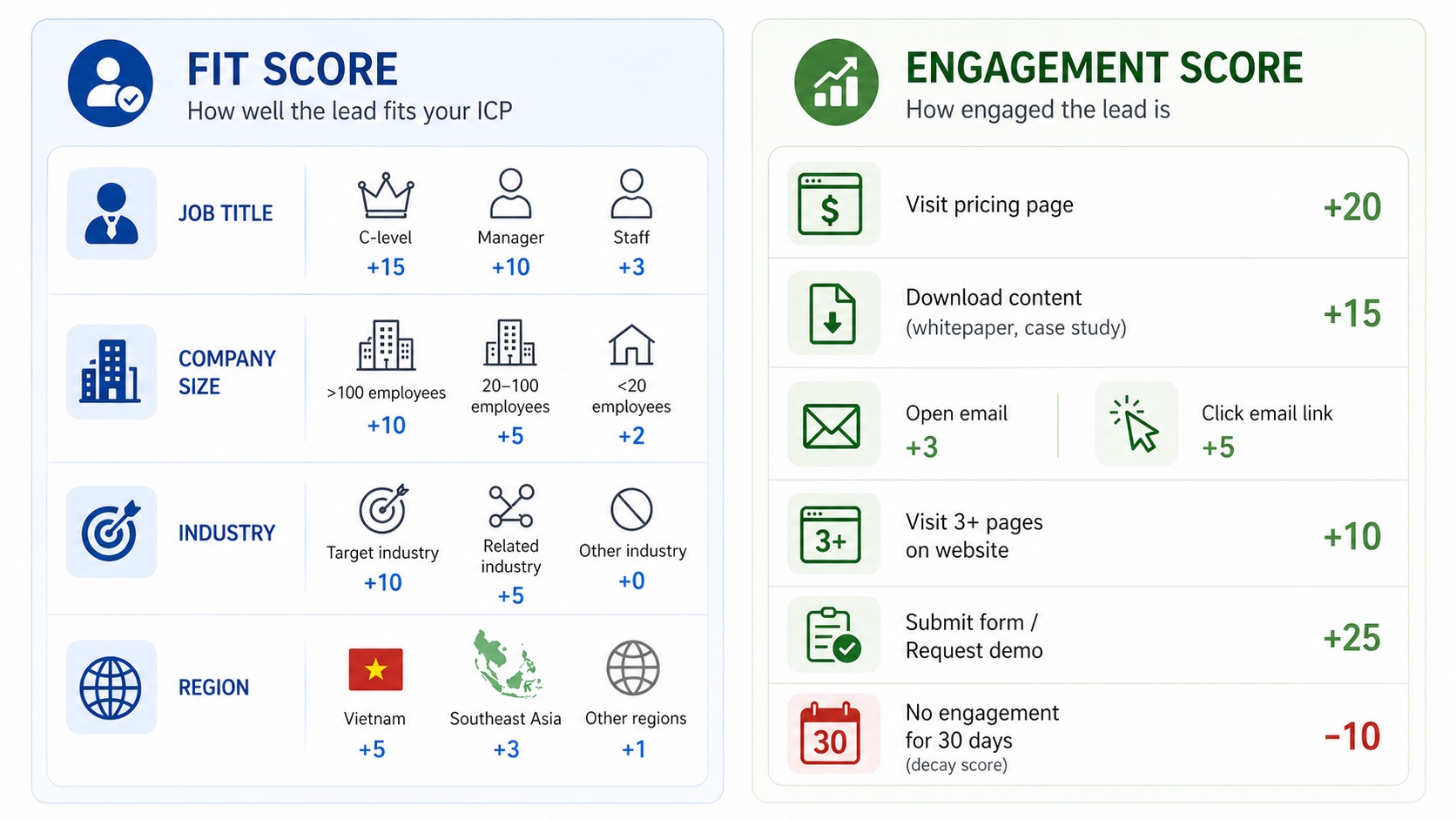
Two Lead Scoring Criteria
2.1 Fit Score (Demographics & Firmographics)
- Job title: C-level (+15pts), Manager (+10), Staff (+3)
- Company size: >100 employees (+10), 20-100 (+5), <20 (+2)
- Industry: Target industry (+10), Related (+5), Other (+0)
- Region: Vietnam (+5), SEA (+3), Other (+1)
2.2 Engagement Score (Behavioral)
- Visited pricing page: +20 pts
- Downloaded resource: +15 pts
- Opened email: +3 | Clicked email link: +5
- Viewed 3+ pages: +10 | Submitted contact form: +25
- No engagement 30 days: -10 pts (score decay)
3. Setting up Lead Scoring on HubSpot: Step by step
3.1 Step 1: Define MQL and SQL together
Before any HubSpot configuration, Marketing and Sales must agree: What is MQL? What is SQL? What score threshold triggers handover? Example: MQL when total score ≥40, SQL when Fit Score ≥20 AND Engagement Score ≥30.
3.2 Step 2: Configure HubSpot Score Properties
In HubSpot Settings → Properties, create two custom score properties: ‘Fit Score’ and ‘Engagement Score.’ Assign positive and negative points per criteria. HubSpot automatically calculates totals per contact.
3.3 Step 3: Build automated handover workflows
Create a workflow: When contact reaches MQL threshold → auto-update Lifecycle Stage → notify Sales Owner → create follow-up Task. When Sales accepts → move to SQL. When Sales rejects → log reason, return to Marketing nurturing.
3.4 Step 4: Measure and refine
After 4-6 weeks, review: What’s the MQL→SQL acceptance rate? Are Sales accepting leads? Are leads converting to deals? Adjust scoring weights based on data, this is an ongoing process, not a one-time setup.
4. Common Lead Scoring mistakes
- Too complex: Start with 8-10 criteria, not 50. Simplify, run, then optimize.
- No decay: Leads inactive 30+ days must lose points. Old behavior doesn’t reflect current intent.
- Marketing defines MQL alone: MQL definition MUST have Sales input. Otherwise the model creates leads Sales doesn’t want.
5. Frequently Asked Questions
Which HubSpot plan includes Lead Scoring?
Basic lead scoring is available from HubSpot Marketing Hub Professional ($890/month). Enterprise adds predictive lead scoring using AI. Free CRM can use custom properties for manual scoring.
How many criteria should I start with?
Start with 8-10 important criteria (4-5 Fit + 4-5 Engagement). Run 4-6 weeks, review data, then add or remove based on actual results.
Does Tvia Collab help set up Lead Scoring?
Yes. This is part of our HubSpot Implementation and Revenue Ops Healthcheck services. We help define MQL/SQL, design the scoring model, configure HubSpot, and train your team.
NEED HELP SETTING UP LEAD SCORING ON HUBSPOT?
Tvia Collab – HubSpot Solution Partner – helps you design the scoring model, configure workflows, and train your Marketing & Sales teams.
Consult on HubSpot Lead Scoring
📧 contact@tviacollab.com |
📞 093.340.3565 |
📍 No. 6, Vo Van Kiet Street, Saigon Ward, Ho Chi Minh City